
Size It Up guide: compare sizes and improve your guesses
How large is the object when you take its familiar surroundings away? SizeItUp is now playable on FoolFish. This guide explains the released size-guessing game: compare a target with a reference, resize it, then commit to your estimate.
How to play Size It Up
Read the reference shown beside the target object. Drag the gold corner handles or use the slider to resize the target. When you are satisfied with its scale, select “That’s the size!” to submit the guess. The closer your estimate is to the real size, the more points you receive.
Complete five rounds for a full session, or choose Daily five for a new selection each day. The objects span several categories, so the useful skill is comparing proportions. A remembered fact about one animal is helpful, but it will not answer every round.
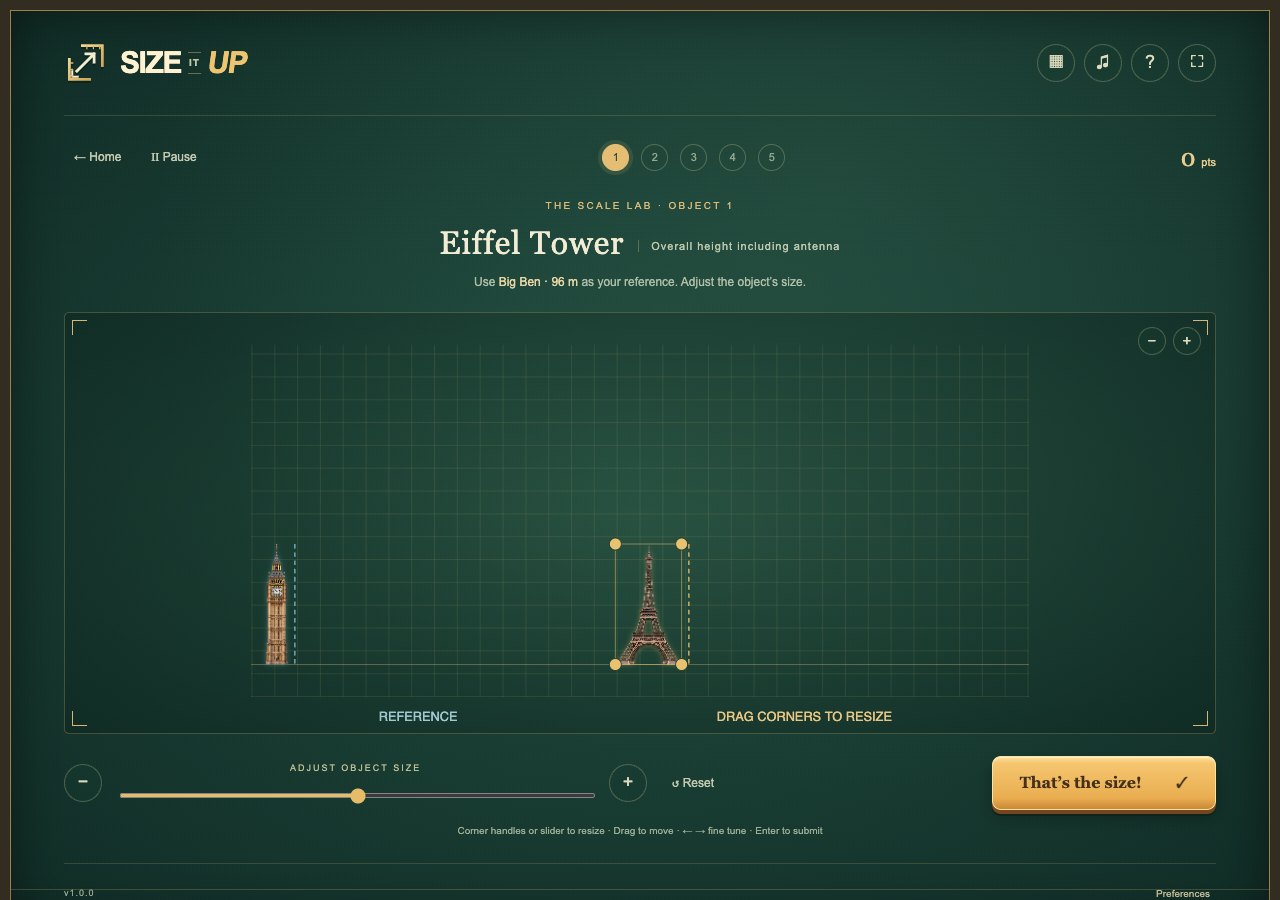
Read the reference before resizing
First identify what dimension you are comparing. Length and height are different measurements. Follow the labels and visual reference in the round rather than judging an object by how large its picture usually appears in photographs.
A whale photographed on its own can fill the frame just as completely as a small fish. The reference restores context. Compare the object to that stated scale, not to the amount of screen space it occupies before you move the slider.
Think in ratios, then make a small adjustment
Begin with a rough relationship: about the same size, twice as large, or substantially smaller. That gives you a sensible range. Make a broad adjustment first, then refine it instead of dragging through lots of tiny guesses with no reference point.
For an illustrative comparison, if a reference is two units long and your target estimate is six units, you are choosing a three-to-one ratio. Ask whether that relationship is plausible. These are example units, not an answer to one of the game’s questions or a description of its scoring formula.
Use the result as the next round’s reference
After submitting, compare the revealed size with your estimate. Were you a little short, or did you mistake the scale entirely? Try to remember the relationship rather than just whether the score was good. A very large error can teach more than a lucky close guess.
When a similar object appears later, use what you learned as an anchor while still reading the new reference. Do not assume that all objects in a category share one size. The measurement belongs to the target in the round, and the goal is to improve your sense of proportion.
Five-round play and Daily five
Ordinary five-round sessions suit learning and trying another set of comparisons. Daily five gives you a reason to return for that day’s selection. In either mode, adjust first and submit deliberately; the confirmation button is the point where you commit to the estimate.
This page originally introduced an Ocean Scale design concept. It now links to and explains the playable SizeItUp release on FoolFish. The controls above describe that released game; the earlier concept’s proposed scoring formula and interfaces are not presented as current features.
Common questions
Can I play SizeItUp now?
Yes. Use the Play SizeItUp button on this page to open the current FoolFish browser game.
How do I submit my size estimate?
Resize the target with the gold corner handles or slider, then select “That’s the size!”.
Is Daily five the only way to play?
No. The game also offers ordinary five-round play.
Why does the game report missing assets?
A slow first load can leave some object pictures unavailable. Let the downloads finish, then reload or choose another gallery. If the message persists, use Help & report a problem on the game page.